Offers

  • Create Offer
  • Add or Control for Offer Traffic Types
  • Integration with Third Party Tracking Software
  • Import Offers / Bulk Offers
  • Generate Postback link for Offer
  • Manage Offer Payout
  • Manage Offer Cap limit
  • Prevent Fraud Traffic on Offer
  • Make Offer Pause / Delete / In-Active
  • Create Smart Links

Affiliates

  • Create Affiliate Account
  • Import Multiple User’s Data in Trakaff
  • Add a Signup Questions
  • Add Global Postback in Publisher’s Account
  • Approve or Check details of Affiliate Users Application
  • Create an Affiliate User Group
  • Update Affiliate Profile Information
  • Approve / Reject Offer Approval Request of Affiliate
  • Generate Affiliate payment invoice
  • Import Affiliates / Users in bulk
  • Check Referral Program

Advertisers

  • Create Advertiser Account
  • Postback URL for Advertiser
  • TrakAff Postback Macros for Advertisers
  • Image Pixel for Advertiser
  • Offer link Integration with Advertiser
  • Update Advertiser Profile Information
  • Integration with Third Party Tracking Software
  • Set Advanced option / Details for Advertiser
  • Import Advertisers / Users in bulk
  • Approve or Check details of Advertiser Users Application and Send verification Mail

Reports

  • Import Bulk Conversions
  • Check Click IP logs / Convert click logs to conversion

Postback Integration

  • TrakAff Postback Macros for Offer Integration
  • Add Global Postback in Publisher’s Account
  • Integration with Third Party Tracking Software

Account Setup

  • Change the Logo for your network
  • Change your Network name
  • Change your Network Timezone
  • Add or Update Affiliate Payment Frequencies
  • Enable or Disable Registration with Reference
  • Enable or Disable Referral Program
  • Add or Disable a New Tracking Domain
  • Customize Email Templates
  • Add or Control for Offer Traffic Types
  • Import Multiple User’s Data in Trakaff
  • Add a Signup Questions
  • Allow permission for Account Manager

Tools

  • SMTP Configuration
  • Import Affiliates / Users in bulk
  • Import Bulk Conversions
  • Check Click IP logs / Convert click logs to conversion
  • Check Network Usage

Manager

  • Create Manager Account
  • Update Account Manager Profile Information
  • Allow permission for Account Manager
  • Generate Manager payment invoices

Notifications

  • Send Notifications to Users/Affiliates/Advertisers/Groups
  • View/Delete All Notification Posted

Settings

  • Set Your Basic Profile Setting
  • Set your Basic Network Setting
  • Customize Your Add On
  • Check Login Logs
  • Renew / Upgrade / Downgrade Subscription
  • Check Network Usage
  • Home
  • Knowledge Center
  • Settings
  • Customize Your Add On

Customize Your Add On

Navigate to Settings >> Addons.


A. Smart-Link Service

Smart links manage and transfer the traffic to the right place using our smart algorithm so that you can earn maximum revenue. This feature of Trakaff helps in saving a lot of time and energy and enforces clarity. You can maximize your earnings by making the most of the right offers.

  1. Smart-link Feature Activated?:

    Set the Smart-Link feature ON or OFF.

  2. Smart-link Work based on CR or EPC?:

    Select CR (Conversion Ratio) or EPC (Earning Per Click). Smart-Link will work based on the selected category.

  3. Offer Based System Activated?:

    Set ON or OFF to activate the offer-based system.

  4. Custom Message to Show on Affiliate Smart link page: 

    Fill in the custom message.
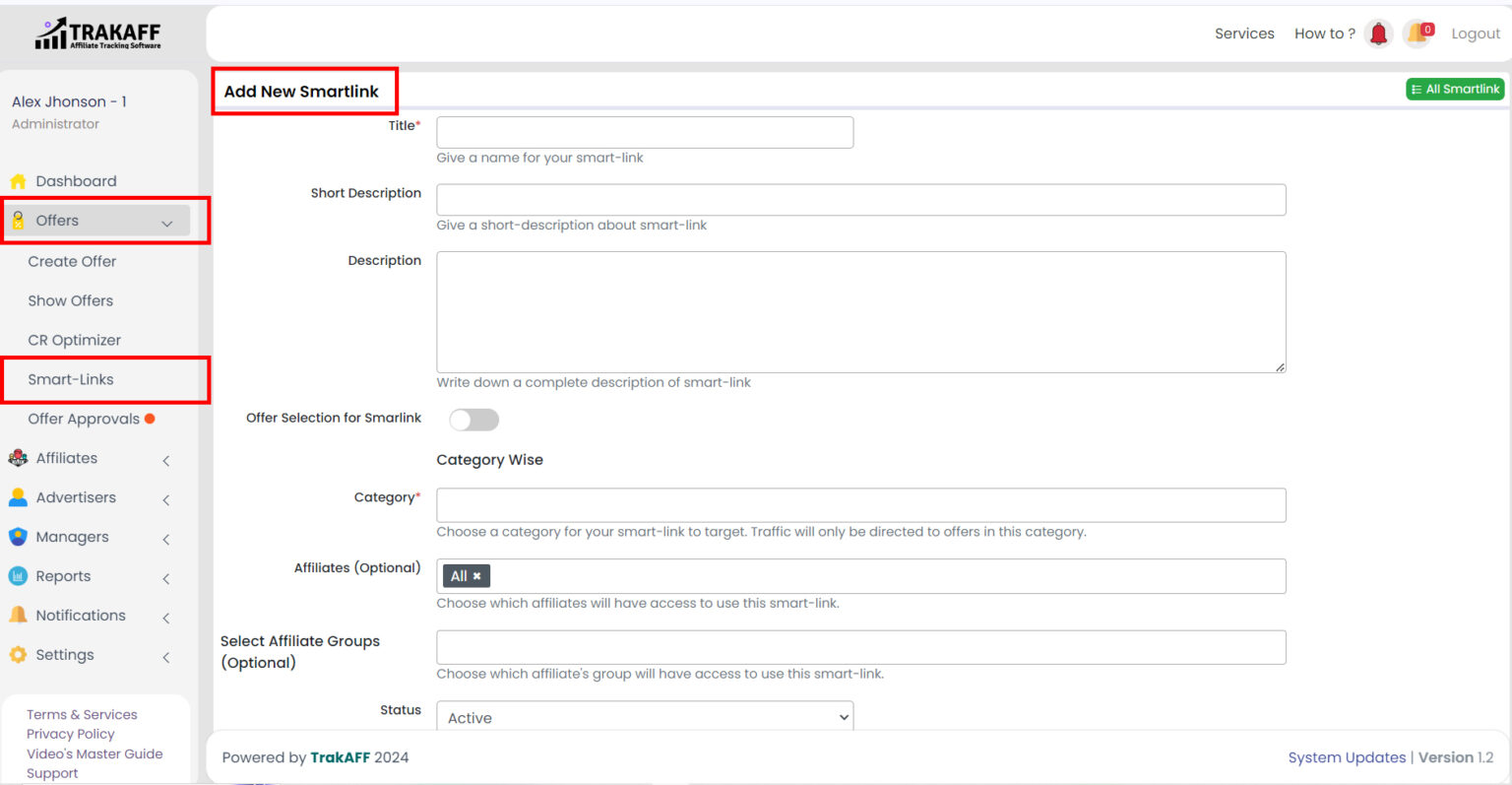
Smart-Link service dashboard showing link management.


B. CR Optimization

Get Full Control of the Conversion on your Network and Optimize it According to your Requirements.
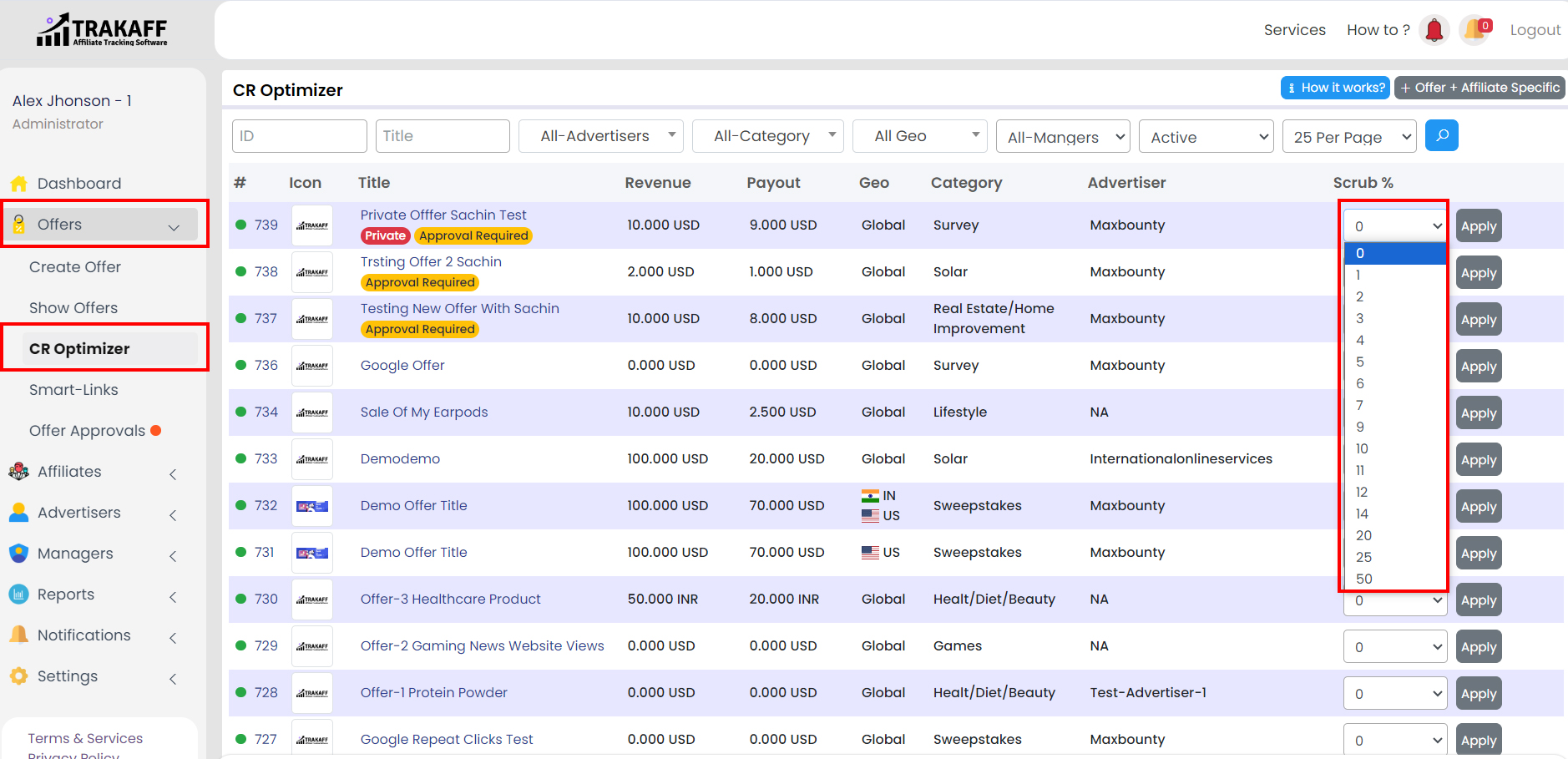
Dashboard showing CR optimization tools and metrics.


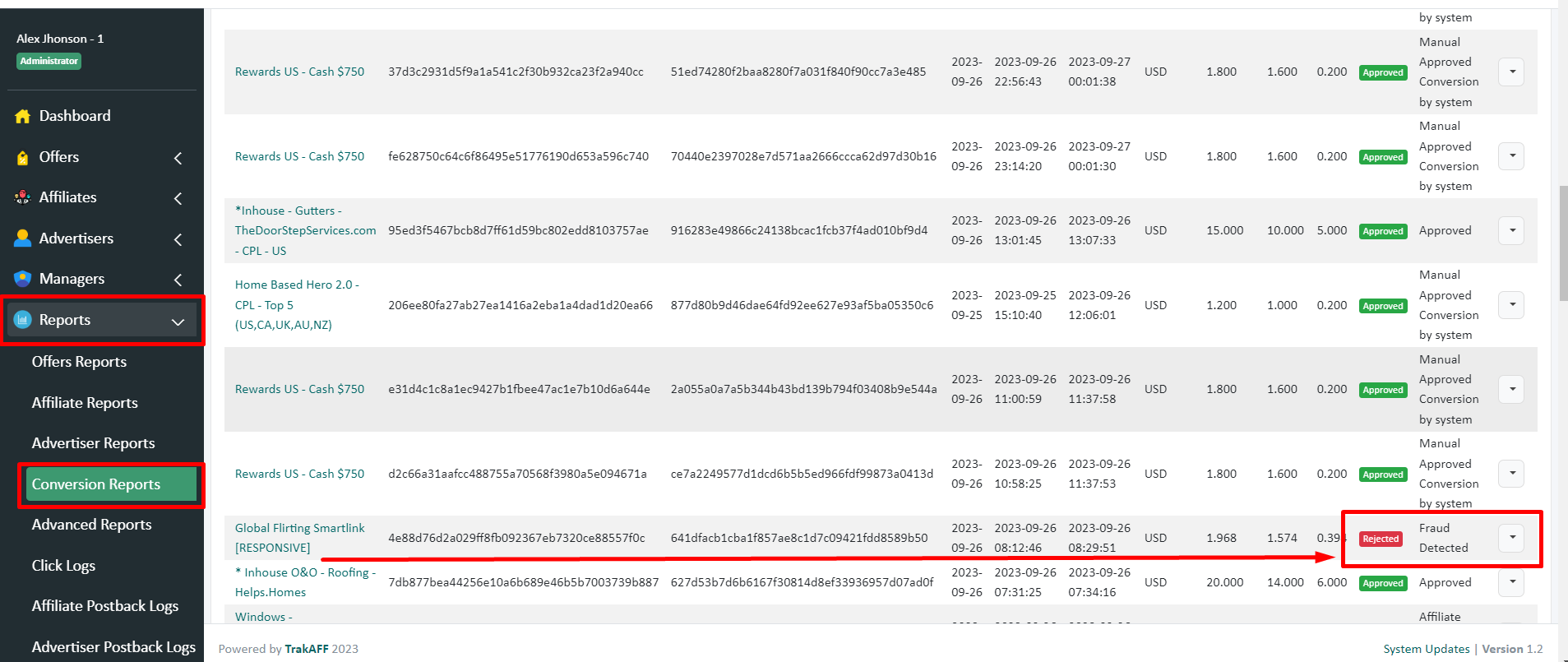
C. Fraud detection & prevention

Protect Your Network from fraud activity with our advanced tool & Never get Scammed by The fake Traffic/IP.

  1. Click Fraud Detection & prevention
  2. Get Fraud Detection on Click Basis And Prevent your Network from the Fraudster.
What are your Feelings
Copyright 2025 . All Rights Reserved